

You collect the last required diamond in Gemzibble Puzzle Adventure and the cave keeps running. Reaching the quota opens the exit lift. To finish the cave, move onto the lift before the countdown runs out.

Check whether the lift is open
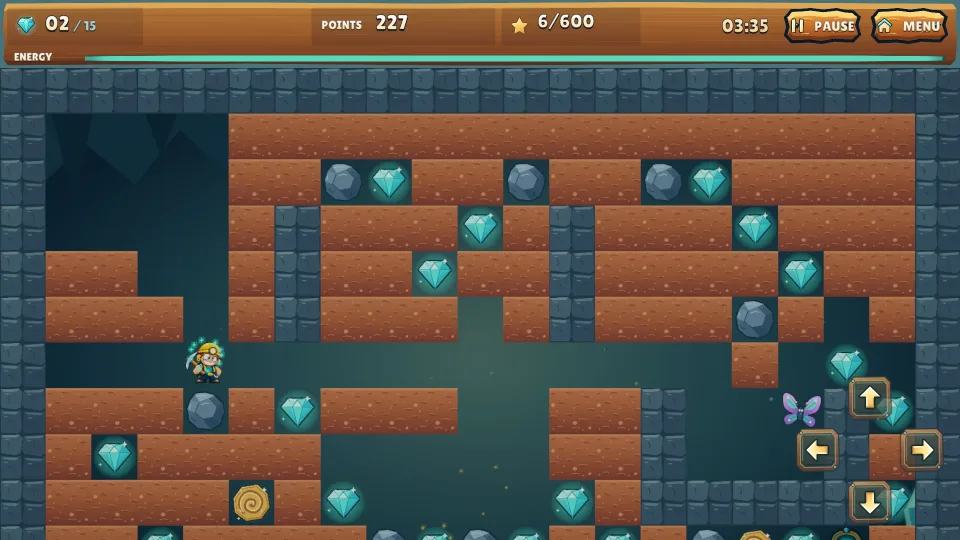
The diamond counter shows how many you have collected and how many the cave requires. In the screenshot below, 02 / 15 means the lift still needs thirteen more diamonds. At 15 / 15 in that cave, the lift opens and your next job is to reach it.
The final required diamond leaves the countdown running, so check the time as soon as the quota is met. If a boulder has shifted into your return tunnel, look for an open route to the lift. When time is tight, head for the exit and save any optional detours for a replay.
Read ENERGY as time left in the cave
The clock and the ENERGY bar show the same countdown. The clock gives you minutes and seconds. The bar gives you a quick sense of how much time remains relative to the cave’s starting allowance. In the screenshot, the clock reads 03:35, or three minutes and thirty-five seconds left.
Use the bar for a quick check while moving, then read the clock when deciding whether you have time to take a longer route. An open lift can still be several turns through the tunnels away. Allow time to reach it and to change direction if your return path has become blocked.
Pause when you need time to think
During an active attempt, the countdown continues while the miner stands still. Tap Pause when you need to stop and think through your next move. The countdown and cave action pause together and continue when you resume.
If you repeatedly reach the quota with too little time left, try changing where you collect the final required diamond. A route that ends closer to the lift can shorten the last leg of the escape. For tips on picking that route, read the Gemzibble beginner cave guide.
Find more cave screenshots and the Android download on the Gemzibble game page.